
Orlando Sentinel
Tribune Publishing Inc.News & Magazines
2.3303.00 Reviews
- Version
- 10.0.60
- Installs
- 50.00K
- Age Rating
- Everyone
Screenshots
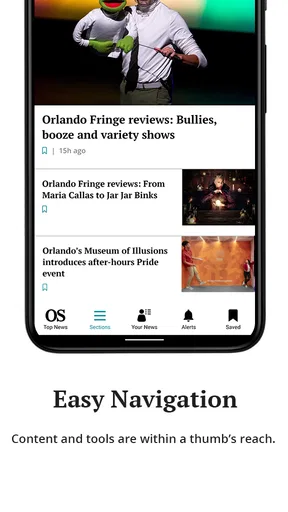
Our Review of Orlando Sentinel
 Analysis by Appyee
If you want local journalism from Central Florida in a focused mobile format, Orlando Sentinel is worth a careful look. I found it more useful as a direct way to follow the publication’s reporting than as an all-purpose news reader. The app sits in the News & Magazines category, is free to install, and comes from Tribune Publishing Inc. Its main appeal is access to the publication’s own reporting and longer-form stories, rather than a broad stream assembled from many unrelated outlets.
My experience was mixed but fairly clear: the app can be a convenient starting point for readers who already care about Orlando-area news, yet it does not feel like the best choice for someone who simply wants a polished, universally reliable headline feed. The current release is version 10.0.60, and it runs on Android 8.0 or later. That makes it accessible on many older phones, although the overall experience depends heavily on how much you value this particular newspaper’s coverage.
What to expect from Orlando Sentinel
The first thing I would set straight is the app’s purpose. This is not a general-purpose news aggregator with a little bit of everything. It is the mobile home for Orlando Sentinel content, including local reporting and the publication’s premium storytelling. That focus is its strongest reason to install it. If your daily questions are about the Orlando area, local developments, community issues, sports, politics, or regional life, a publication-specific app can be more useful than scrolling through a national feed and hoping local stories appear.
I also think the app makes more sense for readers who want a continuing relationship with one newsroom. A broad news app is convenient when you want several viewpoints in one place, but it can flatten local coverage into occasional headlines. A dedicated publication app gives you a clearer editorial identity. The trade-off is obvious: you may get better access to Orlando Sentinel journalism, but you will not get the breadth of a service that combines many newspapers, broadcasters, and wire sources.
The app is free to download, while in-app purchases range from around five dollars to nearly two hundred dollars per item. That range is important to understand before you begin. Installing the app does not mean every part of the reading experience is necessarily available without a purchase or subscription. I would treat the free install as an invitation to explore, not as a promise that all premium material is unlocked.
Its audience rating is Everyone, which makes the app broadly suitable from an age-classification perspective. That does not mean every article will be light or comfortable; news naturally covers serious subjects. It simply means the app is not presented as age-restricted software. The publication has been available since January 20, 2011, so this is an established news product rather than a new experiment.
The public response is less convincing than the app’s concept. Orlando Sentinel has an average rating of 2.3 from around six hundred ratings, with over three hundred written reviews, and it has passed fifty thousand installs. I would not ignore that feedback. A low average does not automatically make the journalism poor, but it does suggest that some users have encountered problems with the app experience, account flow, performance, or expectations around access. I recommend testing the basic reading experience before deciding whether it deserves a permanent place on your home screen.
The right reader for this app
I would recommend it first to someone who has a practical reason to follow Orlando. You might live in the area, commute there, own property nearby, have family in Central Florida, or simply want local reporting that national applications tend to overlook. It can also suit readers who prefer a newspaper’s own presentation instead of a constantly reshuffled algorithmic feed.
I would be more hesitant to recommend it to someone who wants breaking news from the entire world, a large selection of independent sources, or a completely free reading experience. In those cases, a general news aggregator, a public broadcaster’s app, or a few carefully chosen local sources may offer better value. The Sentinel app is most convincing when its specific editorial coverage is the reason you are there.
From installation to a useful first read
I use the first visit as a practical test rather than trying to explore everything at once: find one Orlando story that matters to me and see whether the app makes it easy to read and understand. That also helps me notice where access prompts appear before I build the app into my routine. Once I know whether the reading experience fits, I can judge what a useful regular visit should look like.
Start by setting expectations, not by chasing every option
After installing the app, my advice is to approach the first session as a short evaluation. Open it when you have a few uninterrupted minutes and look for a story that directly answers a question you already have about Orlando. That is a better test than rapidly opening random headlines. You want to know whether the app gets you to relevant local reporting quickly, whether the text is comfortable to read, and whether the access prompts are understandable.
Do not judge it only by the first headline you see. A publication app can be valuable even when its front page is not perfectly tailored to you, but only if the sections and story presentation help you reach the subjects you care about. Spend a moment identifying the areas that matter most. If you are interested in local government, schools, business, sports, or community news, use those interests as your test rather than browsing passively.
One useful habit is to compare the app’s presentation with the publication’s other reading options without immediately replacing one with the other. A mobile app is convenient for short checks during a commute or lunch break, while a browser can sometimes feel better for long articles or account management. I would use the app for discovery and quick reading first, then decide whether it deserves to become my main access point.
Your first meaningful success
For me, the first successful action is not merely opening the app. It is finding one relevant article, reading enough to understand the issue, and deciding whether the publication’s local perspective is worth returning to. A simple workflow works well: choose a current local subject, open the most relevant story, read past the opening section, and then check whether another related article helps complete the picture.
This approach reveals something a headline cannot. You can assess whether the writing gives useful context, whether the app keeps the reading experience clear, and whether the story is available to you without an unexpected interruption. If a premium prompt appears, note where it occurs and what the app asks you to do. That information matters more than assuming the free label covers every article.
My practical tip is to avoid beginning with a long reading session. First-time users often make the mistake of treating a newspaper app like a social feed, tapping through several items and becoming frustrated when access rules or article presentation vary. Start with one story that matters to you. If that experience is smooth and informative, continue. If it is confusing, you have learned that early without investing much time.
How to handle access and purchase decisions
The presence of in-app purchases means I would not enter payment details impulsively. Read the wording on any access screen carefully and make sure you understand whether it concerns one item, recurring access, or another type of purchase. The listed purchase range runs from about five dollars to almost two hundred dollars per item, so the safest approach is to pause and review the exact offer shown on your device before confirming anything.
This is especially important for a first-time user who downloaded the app expecting a completely open newspaper. The free installation is useful for trying the interface, but it should not be confused with unlimited access to every premium story. If you only need occasional local updates, you may prefer to read what is available without committing. If the publication’s reporting is central to your routine, a paid option may make sense, but only after you have tested the app and decided that its coverage justifies the cost.
I also recommend checking that you are signed into the account you intend to use before making any purchase. This is a small step, but it can prevent confusion if you move between devices or use more than one account. Keep a record of what you selected and review the purchase confirmation rather than assuming the app’s first screen tells the whole story.
Common confusion during everyday use
The most likely source of frustration is the difference between the app being free to download and the journalism being freely available. That distinction is common with newspaper applications, but it is easy to miss when you are simply looking for a local headline. If an article asks for payment, that does not necessarily mean the app is malfunctioning. It may be part of the publication’s premium access model. At the same time, an unclear prompt is a legitimate usability problem, so read it carefully instead of tapping through automatically.
Another point of confusion is the difference between local relevance and general news volume. A dedicated Orlando publication may show fewer stories than a large aggregator, but that is not automatically a weakness. The question is whether the stories it does show are the ones you need. If you want a constant stream of national headlines, international updates, technology news, and entertainment from many outlets, this app will probably feel narrow. If you want Orlando-focused reporting, that narrowness is the point.
Some readers may also mistake a low app-store rating for a direct judgment on every article. I would separate the two. The average rating of 2.3 is a warning to examine the software experience, but it does not tell me that every piece of reporting is poor. I would judge the journalism by reading several stories and judge the app by navigation, clarity, stability, and how well it handles access. Keeping those questions separate leads to a fairer decision.
There is also a practical trade-off between a publication-specific app and using a mobile browser. The app may put the publication closer at hand and make repeat visits feel more direct. A browser may be preferable if you want to compare several sources, avoid adding another app, or manage many news sites from one place. I would keep the app only if it saves me time or gives me a reading experience I genuinely prefer.
A realistic daily scenario
Imagine that you live outside Orlando but travel into the area several times a week. Before leaving home, you open the app and look for a local story connected to the day ahead: a public issue, a regional event, or a development that could affect people in the area. You read one article while having breakfast, then return later when you have more time for a longer piece. That is where the app can earn its place. It turns local awareness into a repeatable habit without requiring you to search the wider internet every morning.
Now imagine a different user who wants weather, global politics, sports from several leagues, financial markets, and technology headlines in one screen. That person may find Orlando Sentinel too specialized. Adding multiple publication apps could create more clutter than value. In that case, a broader news service is the better choice, with this app reserved for occasional local reporting when a specific story matters.
What to do after the first session
Once you have found a few useful stories, decide what role you want the app to play. It can be a quick local-news check, a deeper reading destination, or a backup source for Orlando reporting. I would not enable every possible notification or make it the center of my news routine immediately. Give yourself several visits to see whether the content remains relevant and whether the app’s access flow feels comfortable.
A good next step is to create a simple personal rule: use the app when you want Orlando Sentinel reporting, and use a broader source when you need wider coverage. That prevents disappointment and makes the app’s purpose clear. You do not need to force it to replace every other news tool. In my view, it works best as a focused companion rather than a complete information system.
Readers considering a purchase should also ask how often they would use the premium material. Occasional readers may be satisfied with trying the free portions and returning when a particular story is important. Frequent local-news readers should compare the value of paid access with their actual reading habits, not with the low barrier of the initial download. Because the available purchase options extend from around five dollars to nearly two hundred dollars per item, the decision deserves attention rather than a casual tap.
For families, the Everyone content rating makes the app broadly approachable, but I would still encourage younger readers to discuss difficult news topics with an adult. The rating describes the app’s classification, not the emotional weight of every article. That is a sensible distinction for any serious news publication.
My final view is cautious but positive for the right audience. Orlando Sentinel is most useful when you specifically want Orlando-focused journalism, not when you are searching for a universal news replacement. The focused editorial identity gives it a reason to exist, and the free installation makes it easy to test. However, the low average rating, the possibility of premium access prompts, and the limited geographic focus mean that I would not recommend installing it blindly.
If you are a first-time user, begin with one meaningful local story, learn how the app presents free and premium material, and postpone any purchase until you understand the experience. That small test tells you nearly everything important: whether the reporting is relevant, whether the interface fits your routine, and whether this publication deserves regular attention. For me, that is the honest recommendation. Try it for its local value, keep your expectations specific, and choose a broader alternative if your news needs extend well beyond Central Florida.
Orlando Sentinel is a free News & Magazines app for Everyone, developed by Tribune Publishing Inc., with over fifty thousand installs. It is available for Android 8.0 and later, and its current version is 10.0.60. Those details make trying it straightforward, but the real decision comes down to whether its Orlando-centered reporting matches the way you get news.
Verdict
Strengths of Orlando Sentinel
- Fast access to breaking news across Central Florida.
- Strong coverage of Orlando sports, politics, and local events.
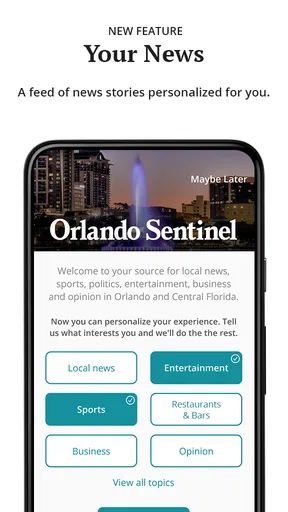
- Personalized alerts help you follow topics that matter most.
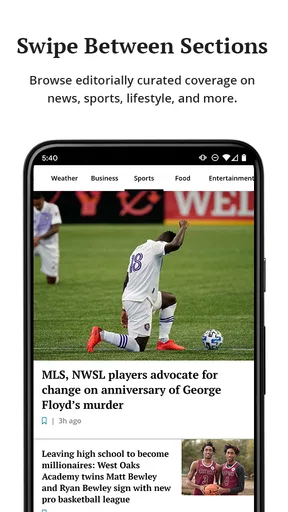
- Clean layout makes articles easy to browse on a phone.
- Digital subscription may include access to additional newspaper content.
Limitations of Orlando Sentinel
- Many articles and features may require a paid subscription.
- Advertising can interrupt reading and affect the overall experience.
- Some content may load slowly on weaker mobile connections.
- The app focuses mainly on the Orlando area, limiting broader coverage.
- Frequent notifications may feel excessive unless carefully customized.
Other Releases by Tribune Publishing Inc.
View All
New York Daily News
News & Magazines3.3

Chicago Tribune
News & Magazines2.6

Hartford Courant
News & Magazines2.6

Sun Sentinel
News & Magazines2.8
Similar Picks in This Category
View All
Google News - Daily Headlines
Google LLC4.0

X
X Corp.4.8

Flipboard:Your Social Magazine
Flipboard3.4

Opera News: breaking & local
Opera4.5

Hindi News by Dainik Bhaskar
Dainik Bhaskar Group4.0

Way2News Daily News App
Way2News ( Formerly Way2SMS )4.6
Frequently Asked Questions
What is the Orlando Sentinel app?
The Orlando Sentinel app is a digital news platform focused on Central Florida and the Orlando area. It provides access to local reporting, breaking news, politics, business, sports, entertainment, weather, and community coverage. After installing it, readers can browse article sections, receive selected alerts, and keep up with important regional stories from a mobile device.
Is the Orlando Sentinel app free to download and use?
The app can generally be downloaded without paying an installation fee, but access to all of its journalism may depend on an Orlando Sentinel subscription. Some articles or features may be available to casual readers, while unlimited reading, subscriber-only stories, and certain digital benefits can require a paid plan. Check the current terms shown in the app before subscribing.
What type of news can I read in Orlando Sentinel?
Orlando Sentinel covers a broad range of topics relevant to residents and visitors in Central Florida. The app typically includes local and regional news, crime and public safety, education, government, business, health, sports, arts, entertainment, dining, and weather-related updates. Coverage is especially useful for people who want news about Orlando and surrounding communities.
Does the Orlando Sentinel app send breaking-news notifications?
Yes, the app may offer push notifications for breaking news, major local developments, sports updates, weather events, and other timely coverage. Notifications can be useful during hurricanes, severe storms, elections, or significant public-safety situations. However, you can usually manage notification permissions in the app or your device settings if you prefer fewer alerts.
Do I need an account or subscription to use Orlando Sentinel?
You may be able to open the app and read selected content without creating an account, but an account is generally needed for subscriber access and personalized features. A subscription may unlock unlimited articles, digital editions, saved content, or other benefits depending on the current plan. Review pricing, renewal conditions, and cancellation rules before completing a purchase.
